I am currently using vectors on old images I drew. I also learned how to do swirls along with nice, but simple designs in Adobe Illustrator. I certainly love the colours. I haven't used green with a hint of yellow in the background before, but I'm pleased with the result. I thought the pink butterflies complemented the green as well. They're easy to see and they stand out nicely in the picture.
Here is the original sketch, which was done in high school. The vector image outlines the fairy. The swirls and background were included because I wanted to experiment.
Sketch done by: Me
Developed in: Adobe Illustrator CS3
Edited in: Photoshop CS3
Saturday, 8 January 2011
Matt of Hetalia
I vectored a figure from the insanely popular anime series Hetalia Axis Powers. My friends adore Matt from Canada, so I decided to vector him and make a wallpaper with it. For now, I've finished the vector, which came out much better than I expected. I adjusted the tones a little because of lighting, but I'm very pleased with it.
I did a snowy background because it suits Matt's outfit. Nothing special or complicated about it. I contemplated on adding a few more things to it, but I'll leave it as is for now. Maybe some trees and a pattern in the back, or a snow bear and a snow Matt will do in the future. Click image to enlarge (1280 x 800 pixels)
Vectored in Adobe Illustrator CS3
Vectored
Original Image
I did a snowy background because it suits Matt's outfit. Nothing special or complicated about it. I contemplated on adding a few more things to it, but I'll leave it as is for now. Maybe some trees and a pattern in the back, or a snow bear and a snow Matt will do in the future. Click image to enlarge (1280 x 800 pixels)
Vectored in Adobe Illustrator CS3
Friday, 7 January 2011
Flash backgrounds
For my Flash toysite assignment, I created a few backgrounds to match the Socorian I designed a while back. I designed an abandoned factory (from the outside) at night. It gives a dark feel to the toy. It's appropriate considering the fact that this toy was the predator of the project I did with Gabby. I created a school setting as well because I couldn't think of another theme at the time and school was frustrating me. I figured it'd be fun to destroy some imaginary pencils and paper.
Here's a link to the original sculpted Socorian
Developed in: Adobe Illustrator CS3
Edited in: Adobe Flash CS4 and Photoshop CS3
Here's a link to the original sculpted Socorian
Developed in: Adobe Illustrator CS3
Edited in: Adobe Flash CS4 and Photoshop CS3
Wednesday, 5 January 2011
Vector for Video
I vectored this spooky background for a video assignment (Semester 3). It's part Tim Burton, part spooky owls. It was fun making it. I added texture to the ground so it wouldn't look so flat. I'm happy with the outcome, and it looked very nice in the film.
Developed in: Adobe Illustrator CS3
Edited in: Adobe Photoshop CS3
Developed in: Adobe Illustrator CS3
Edited in: Adobe Photoshop CS3
Flowers
I wanted to use a blossomed flower as a logo for myself, but I had some difficulties deciding on the design. This was one of them. I developed two versions because I wanted options. I used an image of a lotus flower I quite liked over the internet and began playing with some gradients. This one actually looks really nice from afar. I was tempted to keep it but decided my final design should be simple. Here's what it looks like anyway. It's still something I'm proud of.
Developed in: Adobe Illustrator CS3
Here's a different design for the blossoming flower.
Developed in: Adobe Illustrator CS3
Labels:
Adobe,
Flower,
gradients,
Illustrator,
Vector
Digital Painting
Here's a digital painting I did of my sister a year ago. We were in France and she posed for the camera. I thought it was a fun picture so I used Photoshop to dot out the picture. I'm very pleased with the outcome.
Reference Photo
Digital Piece
Developed in: Adobe Photoshop CS3
Flare Flower
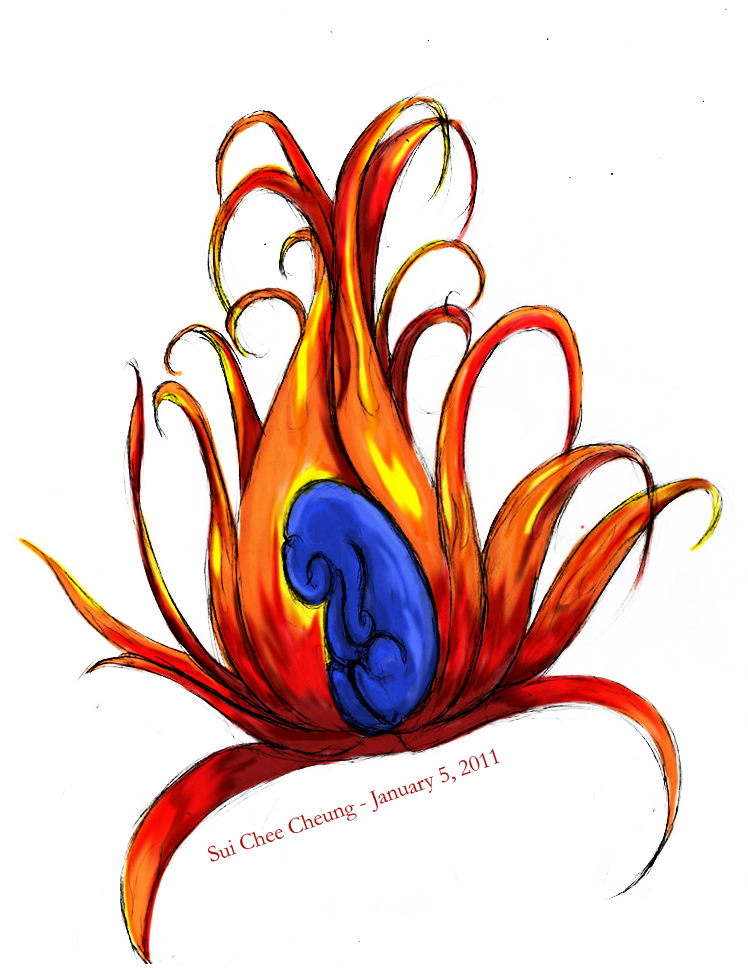
This was a sketch I did a few years ago. I always wanted to colour it in, but I didn't do it until the winter holiday of 2010. I'm not that great with tablets, but tablet PCs (where you can draw touching the screen itself) made it possible. I had fun colouring this in. Using multiply modes, I was able to make a darker and lighter version.
Sketched by: Me
Coloured in: Adobe Photoshop CS3
Subscribe to:
Posts (Atom)